Introduction
A well-structured resume can make a major difference in today’s competitive job market. Recruiters often receive hundreds of applications for a single role, and most of them spend only a few seconds scanning each document before deciding whether to continue reading. Because of this, the presentation of your professional profile matters just as much as the information included.
Many qualified candidates lose opportunities simply because their resumes are difficult to read, poorly organized, or not optimized for applicant tracking systems. A clean and professional format helps hiring managers quickly identify your strengths, achievements, and experience. It also improves your chances of passing automated screening software used by companies worldwide.
Whether you are a fresher looking for your first job or an experienced professional searching for career growth, understanding proper resume formatting can significantly improve your visibility. In this article, we will explore 12 practical tips that can help you create a polished and attention-grabbing resume.
https://arrmanpowerconsultancy.com
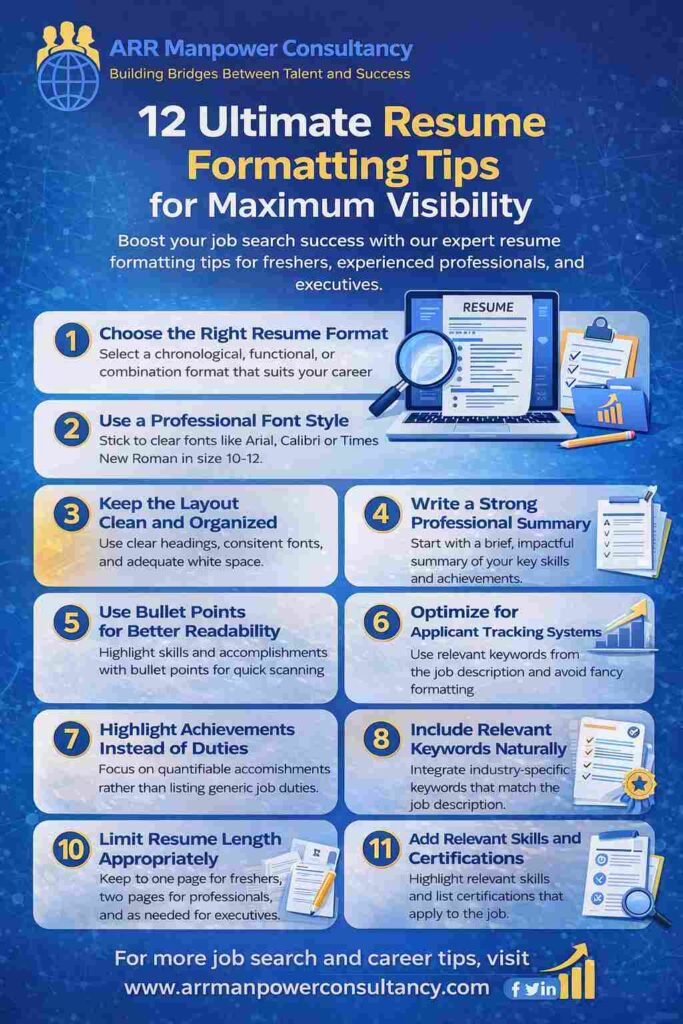
1. Choose the Right Resume Format
The first step in creating an effective document is selecting the correct structure. There are three common resume formats used by professionals:
Chronological Format
This is the most widely used style. It lists work experience in reverse chronological order, starting with the most recent position. It is ideal for candidates with consistent career growth.
Functional Format
This format focuses more on skills than work history. It is suitable for freshers, career changers, or professionals with employment gaps.
Combination Format
A combination structure blends skills and experience together. It works well for candidates who want to highlight both technical expertise and professional achievements.
Selecting the appropriate format allows recruiters to quickly understand your background and suitability for the role.
2. Use a Professional Font Style
Typography plays an important role in readability. Complicated or decorative fonts may look attractive but can make your resume difficult to scan.
Recommended fonts include:
- Arial
- Calibri
- Helvetica
- Times New Roman
- Verdana
The ideal font size is usually between 10 and 12 points for body text and slightly larger for headings. Maintaining consistency throughout the document creates a professional appearance.
Avoid using multiple font styles because it can make the layout look cluttered and unorganized.
3. Keep the Layout Clean and Organized
A neat layout improves readability and helps recruiters quickly locate important information.
Your resume should include clearly defined sections such as:
- Contact Information
- Professional Summary
- Skills
- Work Experience
- Education
- Certifications
- Achievements
Use proper spacing between sections and maintain equal margins on all sides. White space prevents visual overload and gives the document a balanced appearance.
A clean structure also increases compatibility with applicant tracking systems, which are commonly used during hiring.
4. Write a Strong Professional Summary
The professional summary appears at the top of your resume and acts as a quick introduction.
This section should briefly explain:
- Your experience level
- Key strengths
- Industry expertise
- Career achievements
- Professional goals
Instead of writing generic statements, focus on measurable accomplishments and role-specific expertise.
For example:
“Results-driven marketing professional with five years of experience in digital campaigns, content strategy, and customer engagement.”
A strong opening creates a positive first impression and encourages recruiters to continue reading.
5. Use Bullet Points for Better Readability
Large paragraphs can make your resume difficult to scan. Bullet points help break information into smaller, easy-to-read sections.
Use bullets when describing:
- Job responsibilities
- Achievements
- Technical skills
- Certifications
- Project contributions
Each bullet point should be concise and action-oriented.
Examples include:
- Managed a team of 10 sales professionals
- Increased customer retention by 25%
- Developed successful social media campaigns
This style improves clarity and makes your accomplishments stand out.
6. Highlight Achievements Instead of Duties
One common mistake candidates make is simply listing job responsibilities. Recruiters are more interested in measurable achievements and results.
Instead of writing:
“Responsible for handling customer service.”
Write:
“Improved customer satisfaction ratings by 30% through efficient service management.”
Numbers and statistics add credibility and demonstrate your contribution to previous organizations.
Whenever possible, include:
- Revenue growth
- Cost reductions
- Performance improvements
- Project completion rates
- Productivity increases
Achievement-focused content creates a stronger impact.
7. Optimize for Applicant Tracking Systems
Many companies use automated software to filter resumes before they reach hiring managers. If your document is not properly optimized, it may never be seen by a recruiter.
To improve ATS compatibility:
- Use standard section headings
- Include industry-related keywords naturally
- Avoid graphics and tables
- Save files in accepted formats like PDF or DOCX
- Keep formatting simple
Carefully review the job description and include relevant terms that match the employer’s requirements.
However, avoid excessive keyword repetition because it can reduce readability and appear unnatural.
8. Maintain Consistent Formatting
Consistency is essential for creating a professional impression.
Ensure uniformity in:
- Font sizes
- Heading styles
- Bullet point alignment
- Date formatting
- Spacing
- Capitalization
For example, if you use bold headings for one section, maintain the same style throughout the document.
Inconsistent formatting can make your resume appear rushed or careless, even if the content is strong.
A polished presentation reflects attention to detail and professionalism.
9. Include Relevant Keywords Naturally
Recruiters and ATS systems often search for industry-specific terms related to the job role.
Examples may include:
- Project management
- Data analysis
- Customer service
- Digital marketing
- Software development
- Financial reporting
Integrate these terms naturally into your summary, skills, and experience sections.
Avoid keyword stuffing because it negatively affects readability and may appear manipulative. The goal is to maintain a natural flow while ensuring the document aligns with the job description.
Relevant terminology improves discoverability during the hiring process.
10. Limit Resume Length Appropriately
Resume length should match your experience level.
Freshers and Entry-Level Professionals
One page is usually sufficient.
Mid-Level Professionals
Two pages are acceptable if you have significant achievements and experience.
Senior Executives
Longer resumes may be necessary for leadership roles, but information should remain relevant and concise.
Avoid including outdated or unnecessary details that do not support your current career goals.
A shorter, focused resume is often more effective than a lengthy document filled with irrelevant information.
11. Add Relevant Skills and Certifications
Employers value candidates who continuously improve their knowledge and abilities.
Include technical and soft skills relevant to the role.
Examples of technical skills:
- MS Excel
- SEO
- Python
- AutoCAD
- Data Analytics
- CRM Software
Examples of soft skills:
- Communication
- Leadership
- Team collaboration
- Problem-solving
- Time management
Certifications also strengthen credibility and demonstrate commitment to professional development.
Mention certifications from recognized institutions whenever possible.
12. Proofread Before Submitting
Even a highly qualified candidate can lose opportunities because of grammatical mistakes or spelling errors.
Before submitting your resume:
- Check spelling carefully
- Verify grammar accuracy
- Ensure dates are correct
- Confirm contact information
- Review formatting consistency
Reading the document aloud can help identify awkward sentences and mistakes.
You can also ask a friend, mentor, or professional consultant to review your resume before applying for jobs.
A polished and error-free document reflects professionalism and attention to detail.
Additional Resume Formatting Best Practices
Beyond the core formatting tips, there are several additional practices that can improve visibility.
Use Professional File Names
Instead of naming your file “Resume_Final_New,” use a professional format such as:
Rahul_Sharma_Resume.pdf
Include Updated Contact Information
Ensure your phone number, email address, and LinkedIn profile are current.
Avoid Unnecessary Graphics
Complex graphics and excessive design elements may confuse ATS software.
Use Action Verbs
Start bullet points with strong action verbs like:
- Developed
- Managed
- Improved
- Coordinated
- Achieved
- Implemented
Action-oriented language creates stronger impact.
Common Resume Formatting Mistakes to Avoid
Many applicants unknowingly reduce their chances because of avoidable errors.
Some common mistakes include:
- Using multiple font styles
- Including irrelevant personal details
- Adding lengthy paragraphs
- Using poor-quality templates
- Ignoring ATS optimization
- Including outdated experience
- Using unprofessional email addresses
- Submitting resumes with spelling mistakes
Avoiding these issues can significantly improve your document’s effectiveness.
Why Resume Formatting Matters in 2026
The hiring process continues to evolve with technological advancements and increasing competition.
Modern recruiters prioritize:
- Clear structure
- ATS compatibility
- Fast readability
- Professional presentation
- Relevant achievements
An effectively formatted resume helps candidates stand out in a crowded market and improves the likelihood of securing interviews.
As remote hiring and digital recruitment continue growing, presentation quality has become more important than ever before.
Conclusion
Creating a strong resume is not only about listing qualifications and experience. The way information is presented greatly influences how recruiters perceive your professional value.
By following these 12 ultimate resume formatting tips, you can improve readability, increase ATS compatibility, and create a more polished presentation that attracts employer attention.
A well-organized resume highlights your strengths, communicates professionalism, and improves your chances of securing interviews in today’s competitive job market.
Whether you are a fresher beginning your career journey or an experienced professional seeking better opportunities, investing time in proper formatting can make a lasting difference in your job search success.
For professional recruitment guidance, career support, and job opportunities, connect with ARR Manpower Consultancy and take the next step toward your professional growth.
Implementing these resume formatting tips significantly improves visibility, credibility, and interview opportunities for job seekers.